File:Mac OS X Oni startup dialog.png: Difference between revisions
(This simple dialog box appeared if you held Shift while launching Oni in Mac OS X, allowing you to specify arguments meant for the command line. Mac OS X was brand-new at the time, and until it shipped Macs did not have a command line, so this was a user-friendly alternative for users who may not have been comfortable using the Terminal app. In the Classic OS, the same Oni application presented this fuller dialog with a keybinding UI. [[Category:Out-o...) |
(No difference)
|


Revision as of 23:44, 2 December 2025
Summary
This simple dialog box appeared if you held Shift while launching Oni in Mac OS X, allowing you to specify arguments meant for the command line. Mac OS X was brand-new at the time, and until it shipped Macs did not have a command line, so this was a user-friendly alternative for users who may not have been comfortable using the Terminal app. In the Classic OS, the same Oni application presented this fuller dialog with a keybinding UI.
File history
Click on a date/time to view the file as it appeared at that time.
| Date/Time | Thumbnail | Dimensions | User | Comment | |
|---|---|---|---|---|---|
| current | 20:40, 7 December 2025 | 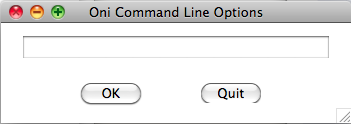 | 700 × 244 (12 KB) | Iritscen (talk | contribs) | crisp new screenshot out of OS X (with 2x scale for HDPI) |
| 23:44, 2 December 2025 | 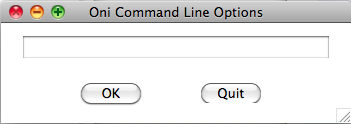 | 351 × 124 (15 KB) | Iritscen (talk | contribs) | This simple dialog box appeared if you held Shift while launching Oni in Mac OS X, allowing you to specify arguments meant for the command line. Mac OS X was brand-new at the time, and until it shipped Macs did not have a command line, so this was a user-friendly alternative for users who may not have been comfortable using the Terminal app. In the Classic OS, the same Oni application presented this fuller dialog with a keybinding UI. [[Category:Out-o... |
You cannot overwrite this file.
File usage
There are no pages that use this file.
